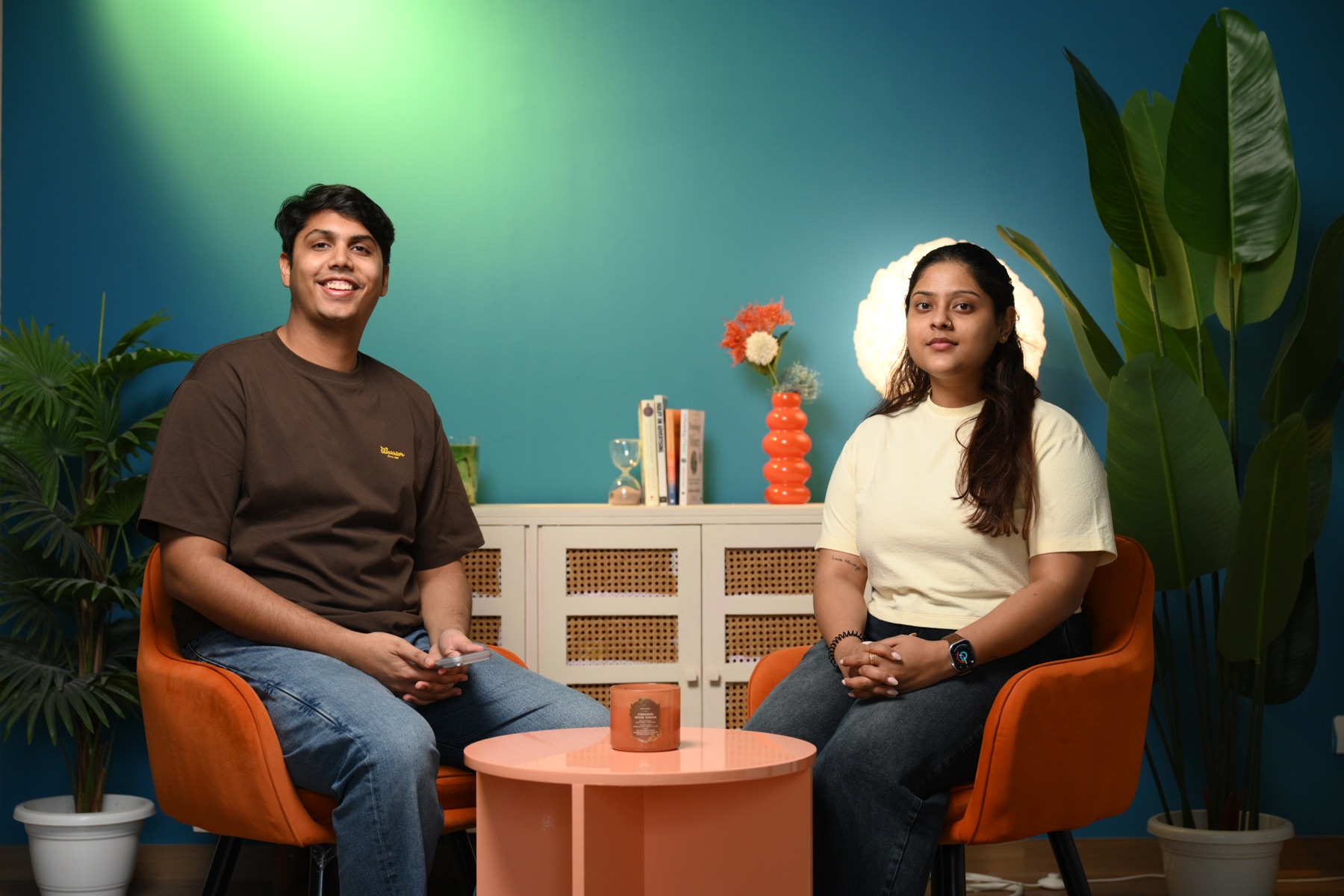
A podcast studio can look impressive and still produce an uncomfortable conversation, inconsistent sound or footage that is difficult to edit. The useful question is not whether the room has a microphone and a camera. It is whether the complete setup supports the people, the recording and the final content plan.
This podcast studio setup checklist is for founders, marketing teams, creators and agencies planning a recording in Delhi NCR. Use it before you confirm the guest, book the studio or approve a production quote.
Start with the output, not the equipment list
Decide what you need from the session before discussing cameras or microphone models. An audio episode, a full YouTube programme and a bank of vertical clips are three different deliverables. A useful production brief should state:
- the number and expected length of full episodes;
- whether the show needs audio only, full video or both;
- the number of hosts, guests and remote participants;
- the required aspect ratios, such as 16:9 for YouTube and 9:16 for Reels;
- whether the team needs editing, captions, thumbnails, short clips or raw files;
- the intended platforms and publishing schedule.
This prevents a common mistake: recording one attractive wide shot and later discovering that there is no clean close-up for a short-form clip. If you are still deciding between formats, compare the audience, production and repurposing trade-offs in our guide to audio-only and video podcasts.
Audio: check the whole signal path
Good podcast audio is created by the room, microphone position, recording chain and monitoring together. Ask how the studio controls echo and outside noise. Soft furnishings may reduce some reflections, but they are not the same as acoustic treatment. Listen for air-conditioner hum, traffic, lift noise and voices from adjoining spaces.
Each speaker should have a dedicated microphone and an isolated track. Separate tracks make it possible to reduce crosstalk, repair level differences and edit one speaker without damaging another. Confirm that the engineer will monitor the recording through headphones, not simply watch moving meters.
Do a short test with every guest speaking at a natural level. Check plosive sounds, jewellery against clothing, table vibration and microphone-arm movement. If a remote guest is joining, record their local feed where possible and confirm how echo-free talkback will work.
Video: plan coverage for the edit
For a two-person conversation, a practical video plan usually includes a wide shot and a clean angle for each speaker. A single camera can work for a short, controlled monologue, but it gives an editor fewer ways to hide pauses, remove repetitions or create platform-specific clips.
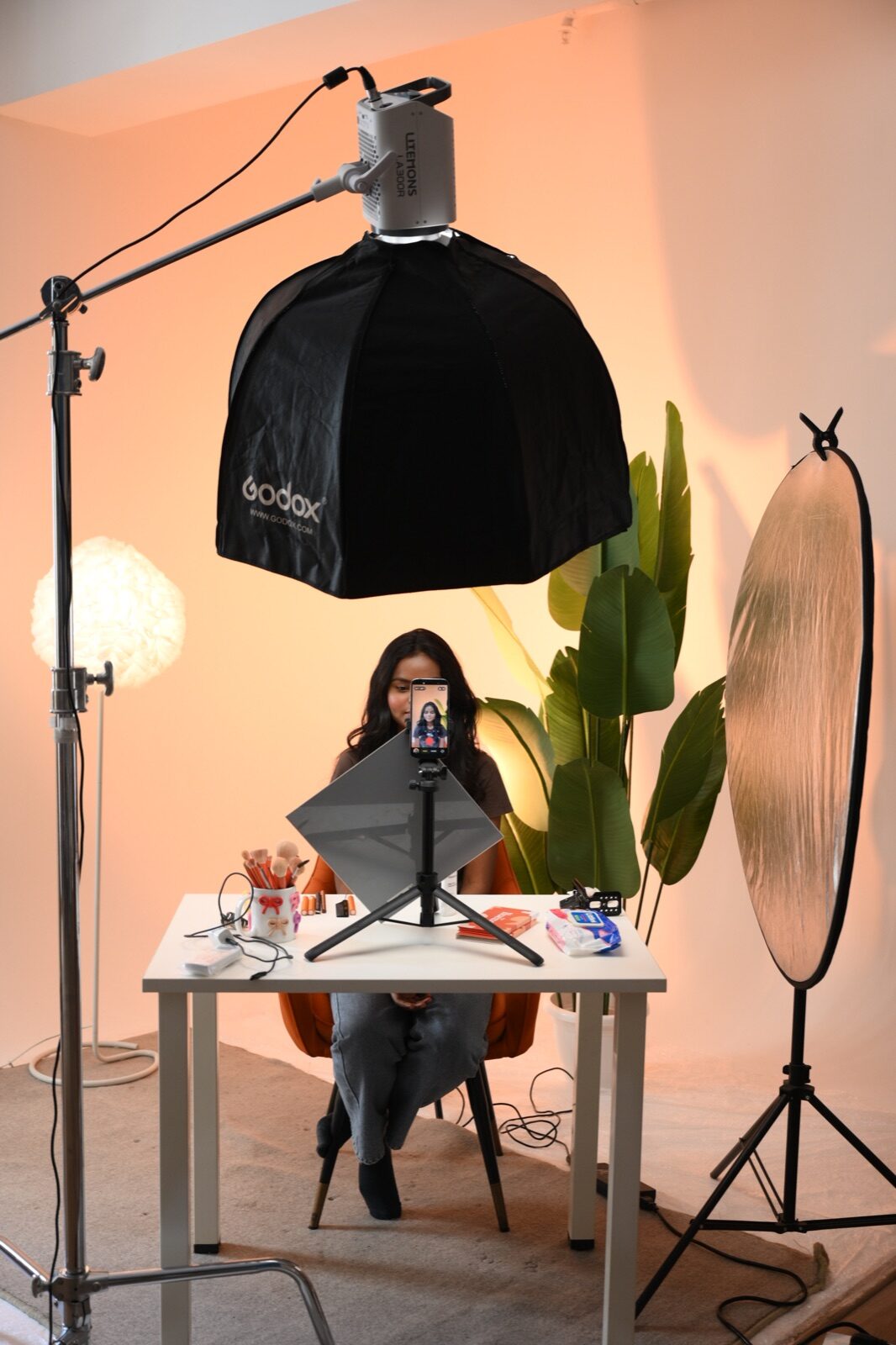
Ask whether all cameras record the same frame rate and colour profile, and whether they can run for the complete episode without overheating or reaching a recording limit. The cameras should be placed near the natural eyeline between speakers. Extreme side angles may look stylish for a few seconds but can make a long conversation feel disconnected.
Leave enough resolution and composition space for vertical crops. A face positioned at the very edge of a horizontal frame may become unusable in a Reel. A quick framing test for both 16:9 and 9:16 before the guest arrives saves substantial editing time.
Lighting: make it flattering and repeatable
Podcast lighting has to remain comfortable for longer than a typical portrait. Bright fixtures aimed directly at a guest can cause squinting, heat and fatigue. Soft, controlled light is usually easier on the eyes and kinder to different skin tones.
Check that every camera angle has consistent exposure and colour. Practical lamps, coloured walls and accent lights can give the show a recognisable visual identity, but they should not create flicker, blown highlights or colour casts on faces. If you plan a series, photograph the lighting positions and record the settings so the look can be repeated in the next batch.
You can review Sooper Studios’ sets and production spaces in the studio gallery, then discuss whether a clean, colourful or brand-led background fits the programme.
Set, branding and props
A useful podcast set supports the conversation instead of competing with it. Keep brand elements visible but restrained. A product, logo, book or colour accent can establish context; a crowded shelf of unrelated props can look accidental and create continuity problems between episodes.
Before shoot day, confirm the chair height, table size and microphone position. Guests should be able to sit naturally without leaning towards the microphone or knocking a glass into equipment. Avoid reflective tables if they reveal every light and camera. If products will appear, plan their label direction and safe handling just as carefully as a product shoot.
Guest comfort and on-set flow
Comfort directly affects performance. Send the guest a clear address, parking or Metro guidance, arrival time, wardrobe advice and expected session length. In Noida, Delhi, Gurgaon, Faridabad and Ghaziabad, travel buffers matter; a late arrival can consume the sound check that protects the entire episode.
Keep drinking water available in a quiet container. Allow time for makeup, microphone placement and a short off-camera conversation. Explain where the guest should look, whether mistakes can be repeated and how the edit will handle pauses. A relaxed guest usually gives more specific, useful answers than someone who feels they must perform perfectly in one take.
Recording, backup and handover
Ask where the main audio and video files are recorded and what backup exists during the session. A sensible workflow includes redundant audio where practical, tested storage, power protection and a clear file-naming convention.
Before leaving, confirm that the files have been checked rather than merely copied. The handover should specify:
- raw or edited deliverables;
- audio format and video resolution;
- episode, camera and speaker naming;
- delivery method and retention period;
- the number of edit rounds and who approves them;
- music, graphics, captions and usage rights.
A quick pre-booking podcast studio checklist
- Define the full episode and short-form outputs.
- Confirm individual microphones and isolated audio tracks.
- Check room acoustics and predictable external noise.
- Approve the number of cameras and speaker coverage.
- Test horizontal and vertical framing.
- Review soft lighting, skin tones and flicker.
- Approve the set, chairs, table and brand elements.
- Plan guest travel, preparation and comfort.
- Confirm crew roles, backups and file delivery.
- Leave realistic time for setup and a complete test.
If you need a flexible production space for a podcast, interview or branded conversation, explore Sooper Studios and our wider creative services. Share the guest count, desired outputs and preferred date through the contact page; the team can help shape a practical session without pushing unnecessary production.
Frequently asked questions
How many cameras are needed for a two-person video podcast?
Three angles—a wide shot plus one clean angle for each speaker—give the editor useful coverage. Two cameras can work with careful framing, while one camera is more suitable for a simple monologue or a deliberately minimal format.
Should podcast guests wear headphones?
Headphones are essential for the engineer and useful for remote conversations. In an in-person discussion, guests may not need them if the studio can monitor cleanly and there is no playback in the room. Comfort and microphone technique should guide the choice.
How long should a podcast studio be booked for one episode?
Do not book only the planned episode length. Allow time for guest arrival, microphone placement, lighting checks, a test recording, breaks and pickups. A 45-minute conversation may require a substantially longer studio slot.
Can one podcast recording create Reels and Shorts?
Yes, if cameras are framed for vertical crops and the conversation produces clear, self-contained moments. Plan hooks, chapter topics and a few direct-to-camera lines before recording instead of expecting every short clip to emerge by accident.