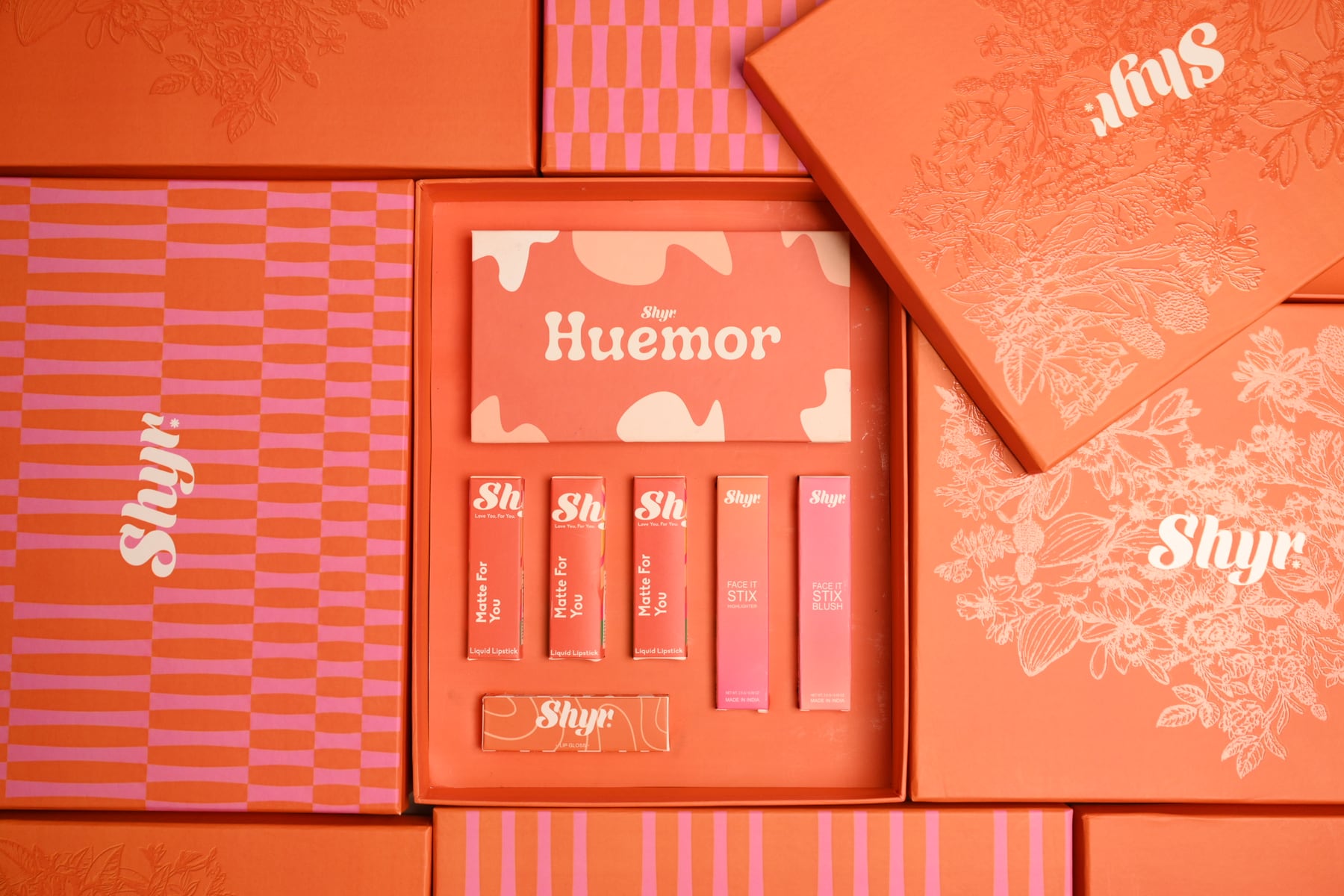
Flipkart product listing images need to do two jobs at once: pass the marketplace’s category-level quality checks and help a buyer understand exactly what will arrive. A photograph can look polished on Instagram and still be a poor listing asset if the pack size is unclear, the colour is inaccurate, an included accessory is missing or important product details are hidden.
Flipkart’s public seller material describes images as part of the essential product information in a listing and notes that clear, complete product information can improve visibility. Its seller terms also require listing pictures to describe the actual item accurately rather than mislead buyers. Because image rules and counts can vary by category and may change inside Seller Hub, the safest production approach is to confirm the current category template before the shoot and then create a reusable master image library around it.
Start with the live Flipkart category template
Do not begin with a generic instruction such as “shoot six photos per product”. Open the relevant vertical or category in Flipkart Seller Hub and record the current fields, image slots, validation messages and examples. Requirements for apparel, beauty, packaged food, furniture and electronics are not identical. A seller with several verticals may need more than one image plan.
Create a reference sheet for every category containing the accepted file format, minimum resolution, preferred aspect ratio, required number of images, background guidance and any prohibited content. Treat these as upload specifications rather than permanent rules: re-check them when a new catalogue is prepared. Flipkart’s public seller overview confirms that a new listing combines images with dimensions, features, descriptions and usage information; the photography plan should therefore match the data the catalogue team will submit.
Build the shot list around buyer questions
A compliant primary image helps the listing enter the catalogue, but the supporting gallery should answer practical buying questions. For each SKU, plan a sequence such as:
- A clean primary product view with the full item visible
- Front, back and side angles where shape or construction matters
- Close details of texture, finish, controls, closures or materials
- A scale or dimensions frame that reduces size confusion
- Included accessories, components and the exact pack quantity
- A use or handling image showing how the product functions
- A lifestyle frame that adds context without hiding the item
- Packaging or label information where the category requires it
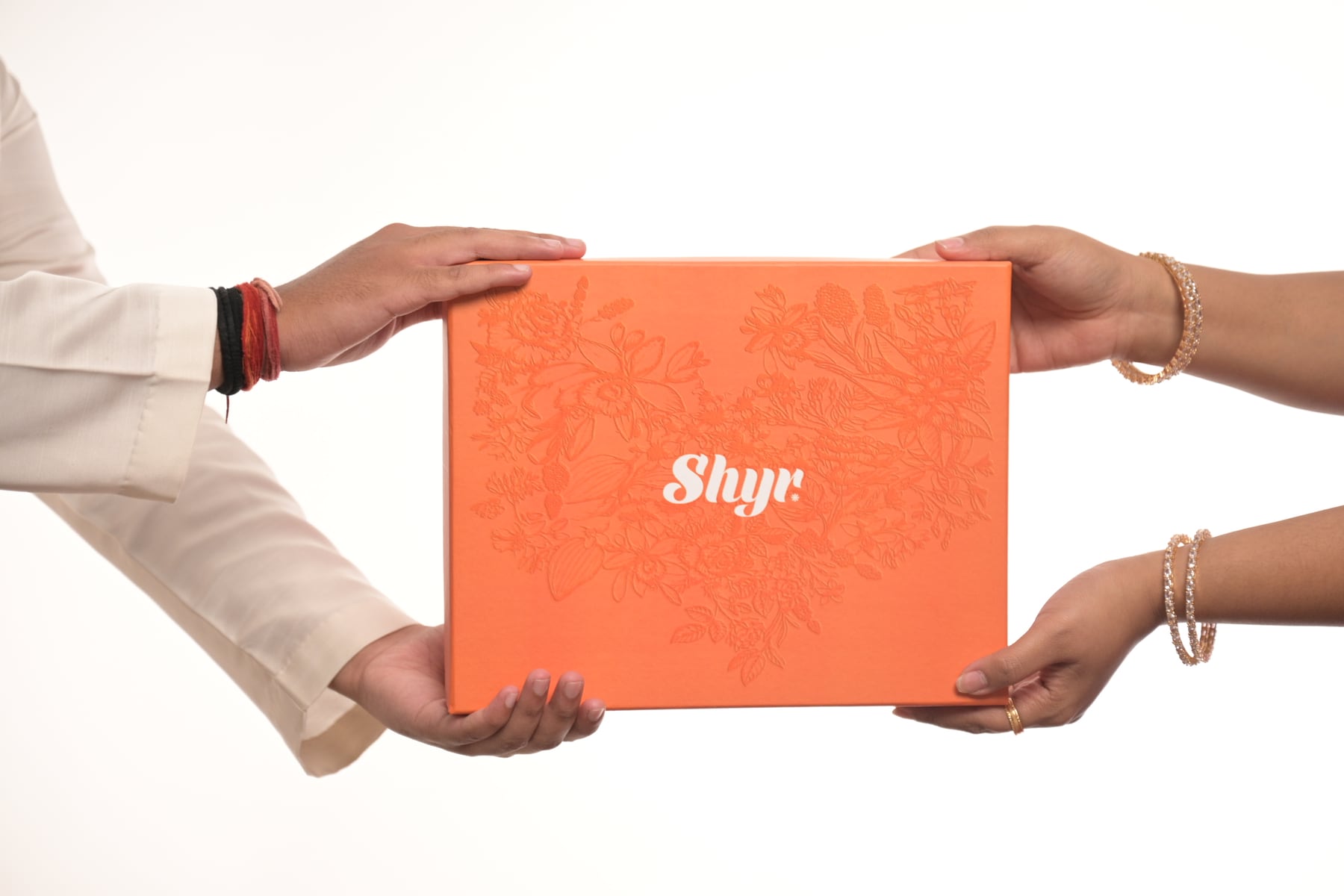
The order should move from identification to evaluation to reassurance. Ask what a buyer cannot inspect online and photograph those details deliberately. For an apparel listing, that may mean fabric texture, neckline, back construction and fit. For a gift box, it may mean the closed pack, the complete assortment, product details and a people-led usage frame.
Separate the primary image from conversion images
The primary image is usually the most controlled frame in the set. It should make the product easy to identify at thumbnail size, keep the silhouette readable and avoid decorative elements that could confuse what is included. Do not add prices, discount claims, badges or watermarks unless a current Flipkart category instruction explicitly allows them.
Secondary images can do more persuasive work. They may show features, scale, use, ingredients, styling or the product in a believable setting. A styled flat lay can help a festive collection feel complete; a talent-led frame can demonstrate handling or intended use. These are finished campaign outcomes, not substitutes for the accurate primary view.
Plan variants before the camera day
Variant errors are one of the easiest ways to waste a catalogue shoot. Prepare an inventory sheet listing every SKU, colour, size, pack configuration and barcode. Give each item a physical label that matches the sheet, but remove temporary labels before capture. Photograph a slate or reference frame between products so the production team can identify files later without guessing.
Decide which photographs can be shared across variants and which must be reshot. A different colour usually needs an accurate primary image and colour-specific details. A changed pack quantity needs a new composition that shows the included units. Do not copy a hero image across variants when the visible product differs.
Protect colour, texture and label accuracy
Marketplace buyers make decisions from a screen, so colour management matters. Use controlled lighting, a consistent white balance and a calibrated review workflow. Avoid heavy filters that shift the shade or remove material texture. Retouch dust, temporary support tools and minor production marks, but do not reshape the product or erase information that appears on the item a customer receives.
For reflective packaging, cosmetics, jewellery and glossy electronics, plan the lighting around legibility. The goal is not to remove every reflection; it is to control reflections so the form, finish and printed information remain clear. Capture label and serial-detail frames separately if the catalogue team needs them for verification.
Create one master library for more than Flipkart
A well-planned shoot can support Flipkart, Amazon, a D2C website and social content without forcing every destination into one crop. Capture high-resolution master files with room for square and vertical derivatives. Keep clean product-only photographs separate from styled campaign frames, and name exports by SKU, angle, variant and destination.
The earlier comparison of Amazon listing images and A+ content explains why marketplace galleries and brand-story assets have different jobs. Use the product photography brief checklist to align the shot list, approvals and file naming before shoot day.
Use a studio workflow that reduces reshoots
For brands travelling from Delhi, Gurugram, Faridabad or Ghaziabad, the most efficient Noida studio day begins with products already checked, cleaned and arranged in shooting order. Lock one repeatable camera position and lighting setup for catalogue angles, approve a test image, then move through related SKUs before building styled or talent-led scenes.
Keep the seller or catalogue manager available for tethered review. They should confirm product identity, colour, included components and required category views—not only whether the photograph looks attractive. Save a backup before the products leave the studio and keep a simple approval record for each SKU.
A practical pre-shoot checklist
- Confirm the current Flipkart image guidance inside the correct category
- Freeze the SKU, variant and pack-size inventory
- Map every required image slot to a specific camera frame
- Separate clean primary images from styled secondary content
- Approve lighting, colour and crop on one test product
- Record which accessories and components are actually included
- Define retouching limits and export naming before production
- Review final files against the Seller Hub template before upload
If you need a controlled catalogue and lifestyle production in Noida, explore product photography at Sooper Studios, review the studio gallery or share your SKU list and delivery requirements. The recommendation should start with the catalogue structure, not a fixed number of photographs.
Frequently asked questions
How many images should a Flipkart listing have?
The required and useful image count depends on the product category. Check the current Seller Hub template first, then add enough supporting views to explain scale, features, included items and use without repeating the same information.
Can the same photographs be used on Flipkart and Amazon?
Often the same high-resolution master photographs can be adapted, but primary-image rules, aspect ratios, gallery roles and text treatments may differ. Prepare destination-specific exports after confirming both platforms’ current guidance.
Should every colour variant be photographed?
Yes when the visible colour or finish changes. Accurate variant photography reduces buyer confusion and is safer than digitally recolouring one product, especially for fabric, cosmetics and reflective materials.
Can lifestyle photographs be used in a Flipkart listing?
Lifestyle images can be valuable as supporting content when they show genuine use and keep the product clear. The primary image should still follow the current rules for that category, so confirm placement before the shoot.